Importance of Regular Cleaning
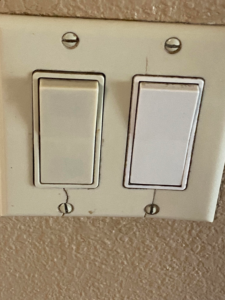
Light switches, though often overlooked, can accumulate dust, grime, and germs over time. Regular cleaning of these small but frequently touched fixtures is essential for maintaining a hygienic environment in your home. Given their exposure to constant use and the transfer of germs from hands, keeping them clean helps reduce the risk of spreading illness and keeps your home looking its best.
Recommended Cleaning Frequency
Experts recommend cleaning light switches every 1 to 2 weeks. This frequency ensures that dust and dirt do not build up significantly, which can be especially important in high-traffic areas such as kitchens and bathrooms. In these spaces, light switches may become soiled more quickly due to the activities performed around them.
How to Clean Light Switches
To clean your light switches effectively, follow these steps:
- Turn Off the Power: For safety, switch off the power to the light switch at the circuit breaker before cleaning.
- Use a Dry Cloth: Start by wiping the switch plate with a dry, soft cloth to remove any loose dust.
- Clean with a Damp Cloth: Moisten a cloth with a mixture of mild soap and water, wring it out well, and gently clean the switch plate. Avoid letting water seep into the switch.
- Dry Thoroughly: Use a dry cloth to wipe the switch plate and ensure it is completely dry before turning the power back on.
Special Considerations
For switches in high-touch areas or those that show significant dirt buildup, consider cleaning them more frequently. In households with young children or pets, more regular cleaning might be necessary to manage spills and smudges. Additionally, if anyone in the household is sick, it’s wise to clean light switches more often to prevent the spread of germs.
Conclusion
Maintaining cleanliness of light switches is a simple yet effective way to ensure a healthier and more pleasant living environment. By following the recommended cleaning frequency and using proper cleaning techniques, you can keep your switches in good condition and contribute to overall home hygiene.
